
Introduction
AI-powered development has moved far beyond autocomplete. In 2026, tools are no longer just assisting developers—they’re co-creating software.
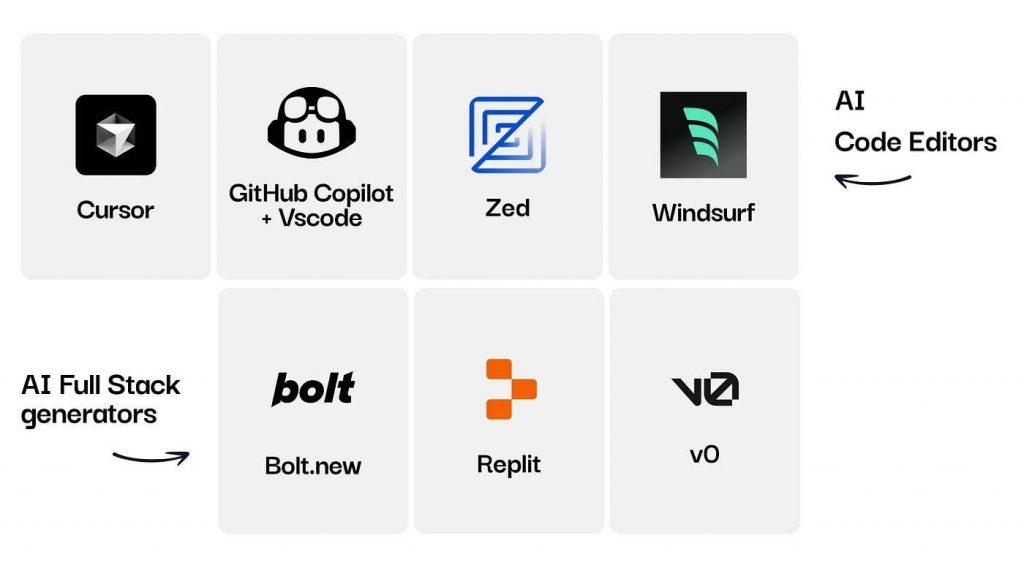
While tools like Cursor introduced AI-first coding environments, a new wave of platforms is redefining how we build:
-
- Bolt.new
-
- Replit
-
- GitHub Copilot
- GitHub Copilot
Each represents a different approach to AI-assisted development:
-
- Prompt-to-app generation
-
- Browser-based coding ecosystems
-
- AI pair programming inside IDEs
So the real question is:
-
- Which workflow is best for you?
- Which workflow is best for you?
Let’s break it down.
What is Bolt.new?
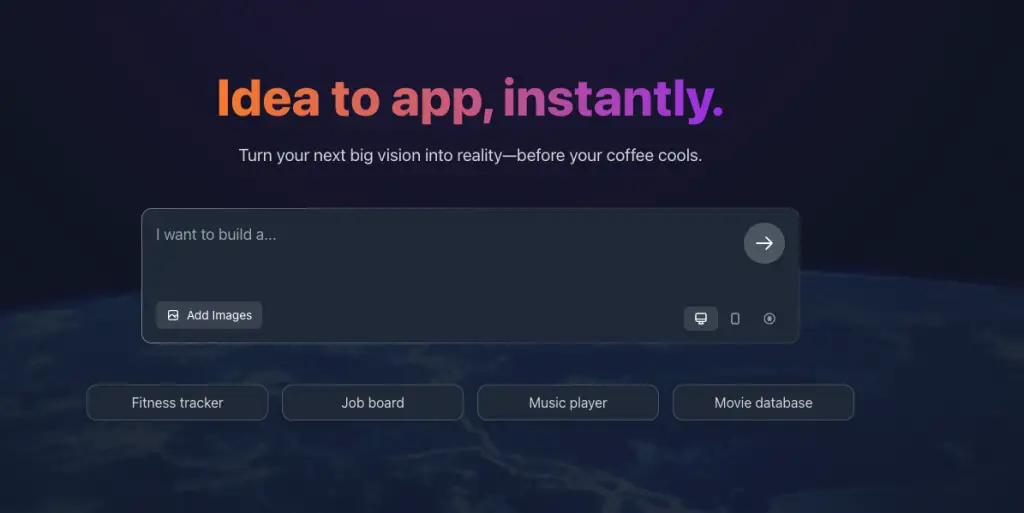
Bolt.new is an AI-powered development tool designed for rapid application generation from natural language prompts.
Instead of setting up environments, writing boilerplate code, and configuring dependencies, you simply describe what you want – and Bolt builds it.
Key Features:
-
- Prompt-to-full-stack app generation
-
- Minimal setup required
-
- Instant prototyping
-
- Focus on speed and simplicity
Best For:
-
- MVPs
-
- Rapid prototyping
-
- Non-developers or early-stage builders
Think of Bolt as:
“Idea → Working app in minutes”
What is Replit?
Replit is a browser-based development platform that combines coding, hosting, and collaboration in one place.
With AI integrated into the workflow, Replit allows you to:
-
- Write code
-
- Run applications
-
- Deploy instantly
—all without leaving your browser.
Key Features:
-
- Cloud-based IDE
-
- Built-in hosting
-
- Real-time collaboration
-
- AI assistance (Ghostwriter-style tools)
Best For:
-
- Students and beginners
-
- Collaborative projects
-
- Full-stack development in one environment
Think of Replit as:
“Code → Run → Deploy (all in one tab)”
What is GitHub Copilot?
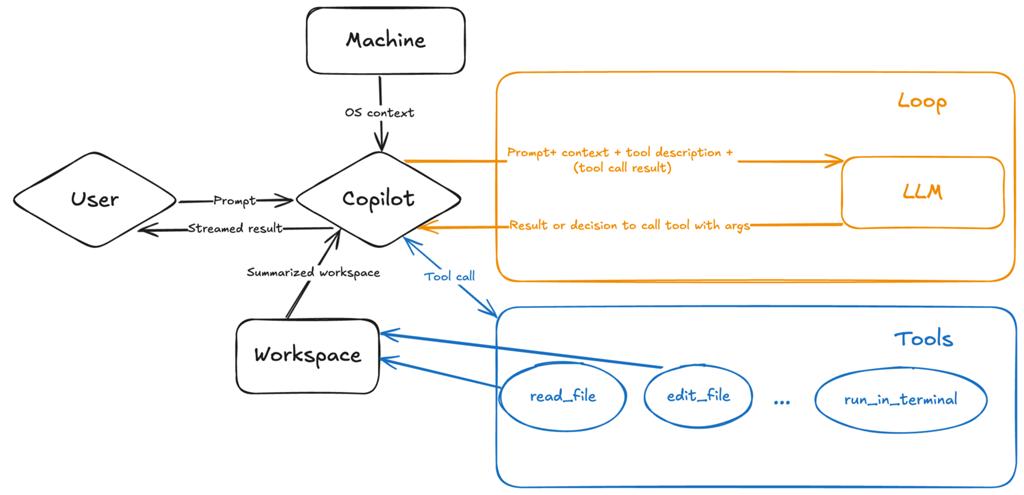
GitHub Copilot is an AI coding assistant integrated into IDEs like VS Code.
Unlike Bolt or Replit, Copilot doesn’t generate entire apps—it assists you while you code.
Key Features:
-
- Inline code suggestions
-
- Function and logic generation
-
- Context-aware completions
-
- Works inside your existing workflow
Best For:
-
- Professional developers
-
- Large-scale projects
-
- Improving productivity
Think of Copilot as:
“AI pair programmer inside your IDE”
Bolt.new vs Replit vs GitHub Copilot: Key Differences
| Feature | Bolt.new | Replit | GitHub Copilot |
| Approach | Prompt → App | Browser IDE | AI assistance in IDE |
| Setup | None | Minimal | Requires local setup |
| Speed | Very fast | Moderate | Depends on user |
| Flexibility | Limited | Moderate | Very high |
| Learning Curve | Very low | Low | Medium |
| Best Users | Beginners, builders | Students, teams | Developers |
Workflow Comparison: How Development Actually Feels
- Bolt.new Workflow
-
- Write a prompt
- AI generates full application
- Make minor tweaks
Experience: Fast, but less control
- Replit Workflow
- Open browser IDE
- Write or generate code
- Run instantly
- Deploy from same platform
Experience: Balanced, beginner-friendly
- GitHub Copilot Workflow
-
- Write code in IDE
- Get AI suggestions
- Accept/edit suggestions
- Build system step-by-step
Experience: Controlled, developer-first
Which Tool Should You Choose?
Choose Bolt.new if:
-
- You want to build fast
-
- You don’t want to deal with setup
-
- You’re creating MVPs or prototypes
Choose Replit if:
-
- You want an all-in-one platform
-
- You’re learning or collaborating
-
- You prefer browser-based coding
Choose GitHub Copilot if:
-
- You’re a developer
-
- You need control and flexibility
-
- You’re working on complex systems
The Rise of Hybrid Workflows
In 2026, developers are not choosing just one tool.
They are combining them.
Example Workflow:
-
- Use Bolt.new → Generate initial app
-
- Move to Replit → Test and deploy
-
- Use Copilot → Refine and scale
This hybrid approach is:
-
- Faster
-
- More efficient
-
- More powerful
Limitations of These Tools
No matter how advanced AI becomes:
-
- AI can generate incorrect code
-
- Context limitations still exist
-
- Debugging is still a human skill
-
- System design cannot be fully automated
AI accelerates development—but doesn’t replace thinking.
Future of AI Development Workflows
We are moving toward a world where:
-
- Developers describe systems instead of coding line-by-line
-
- AI handles boilerplate and repetitive tasks
-
- Humans focus on architecture and problem-solving
- The future is not no-code
- It’s AI-augmented coding
Want Hands-On Experience with Modern AI Coding Workflows?
In our AI Coding Workshop in Pune, you’ll explore:
• AI-assisted development workflows
• Prompt-to-app generation
• Full-stack AI coding tools
• Practical workflows using modern AI development systems
Register here:
👉 https://semat.in/vibe-coding-workshop/
Final Verdict
There’s no “best” tool.
There’s only the right workflow for your goal:
-
- Bolt.new → Speed
-
- Replit → Simplicity
-
- Copilot → Control
The real advantage comes from knowing when to use each.
Conclusion
The shift from traditional coding to AI-assisted workflows is redefining development.
Tools like Bolt.new, Replit, and GitHub Copilot are not competitors—they are different layers of the same ecosystem.
The developers who win in 2026 are not the ones who write the most code.
They’re the ones who build the smartest workflows.